Visitor management software: how to automate check-in at reception

9:55 am. Three visitors arrive at reception at the same time. The receptionist looks for their names in an email forwarded the day before, types in their details, then calls a host who doesn't pick up. Meanwhile, a courier is waiting his turn.
The result: a growing queue, a client greeted by a waiting area instead of the person they came to see, and a receptionist who spends more time on her keyboard than with visitors.
Visitor management software doesn't replace a human welcome. It removes the repetitive tasks that get in the way: data entry, tracking down the host, follow-up calls. Here is how to automate check-in before, during and after the visit.
Spot the friction points: find out where reception loses time
Lack of time at reception rarely comes from the number of visitors. It comes from manual tasks that pile up at the same moment.
1 in 3 organizations still manage most of their workplace operations manually.
This goes beyond reception. According to a survey by Envoy and Hanover Research of more than 440 facilities, security, IT and HR leaders, one in three organizations still handles most of its workplace operations by hand.
At reception, these manual tasks build up in three places.
Data entry at the desk
Every visitor who wasn't announced properly means the receptionist types everything in: name, company, host, arrival time. Three visitors for the same meeting, and a queue forms.
The under-informed visitor
Exact address, floor, parking, access instructions: if they didn't receive them, they ask at reception. Or they arrive late.
The unreachable host
Desk phone, Teams message, a walk down the corridor. If the host is in a meeting, nobody answers and the visitor waits.
These three friction points aren't solved at the same moment. The first is handled on arrival, the second beforehand, the third right after check-in.
Prepare the visit in advance: a visitor who arrives with everything they need
A properly announced visit is a visit that doesn't need typing in at the desk. Everything prepared the day before saves time on the day.
Nearly 60% shorter lobby wait times with pre-registration.
Market figures point the same way: according to Market.us, digital pre-registration cuts lobby wait times by nearly 60%.
Register the visit without a form
The weak spot of many tools is the registration itself. A web form filled in visitor by visitor, field by field: most employees end up skipping it.
The faster the registration, the more visits get announced. Ideally, the host registers several visitors at once, in a few seconds, from their phone.
Send a complete invitation
The invitation does the job reception used to do over the phone. It includes the time slot, the address, directions, the parking space if one is booked and a personal QR code for check-in.
The visitor has nothing left to ask. They know where to go, where to park and what to show when they arrive.
Check visitors in with a QR code: a few seconds at the desk, no typing
Once the visit is registered, the arrival no longer needs to be typed in. It simply needs to be confirmed.
QR code check-in
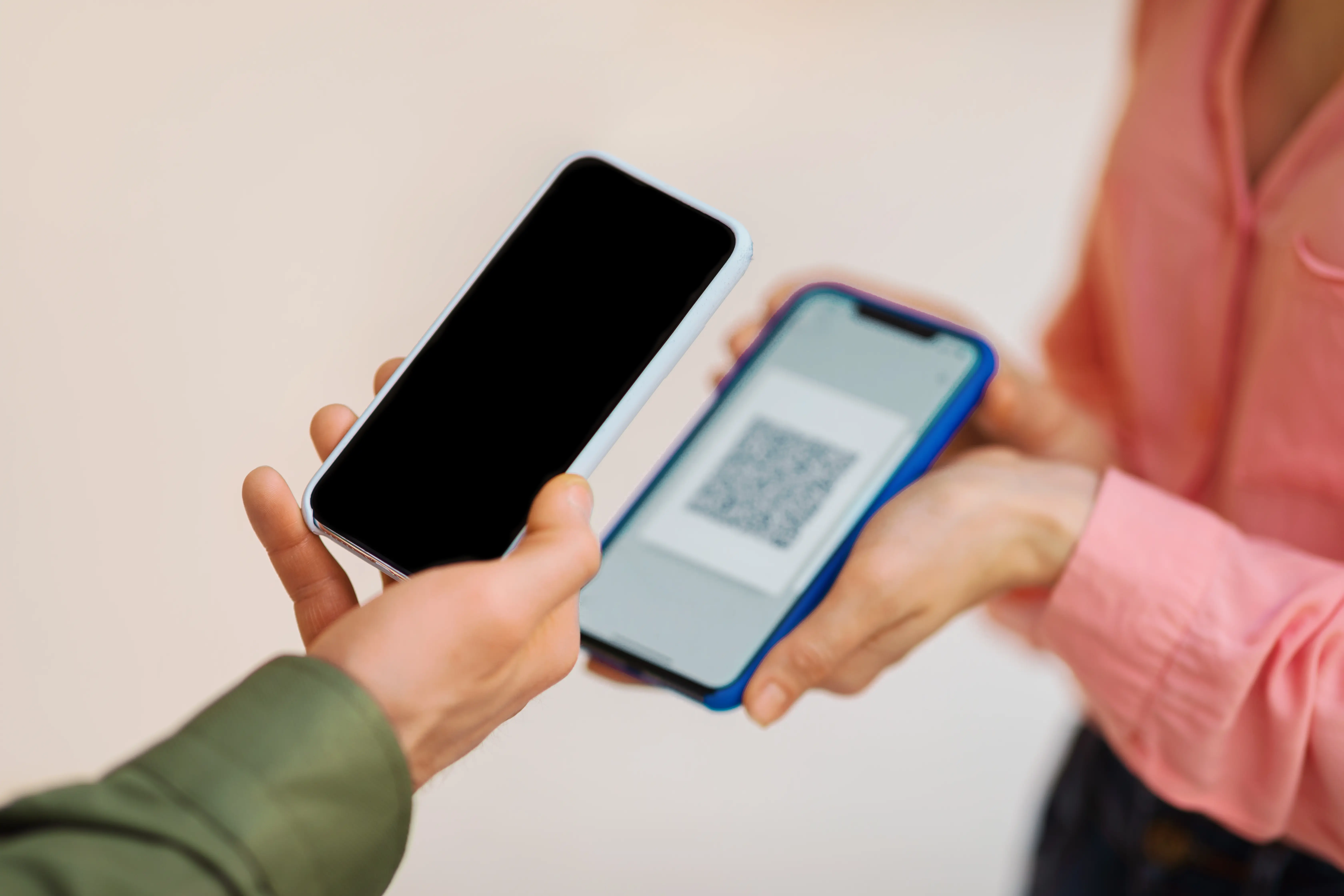
The visitor shows their QR code at the front desk. The system recognizes it, matches it to their visit and the receptionist confirms in one action. No names to type, no lists to scroll through.
The receptionist keeps control over every entry, but her eyes are no longer on her screen. She can point to the waiting area, offer a coffee, answer a question.
Plan for cases outside the standard flow
An automated reception is also judged by how it handles exceptions. Three situations come up every week.
The visitor without a QR code
Phone off, invitation lost: the receptionist finds the visit by the visitor's or the host's name. The QR code speeds up check-in, it never blocks entry.
The regular contractor
Consultant, technician, trainer: registered once, then invited in one action. Their QR code stays valid for a period set by the workplace manager.
The unexpected visitor
A courier or an unannounced meeting: the receptionist registers them on arrival and picks the host. For parcels, a dedicated flow takes over.
The parcel flow is described on the Mail & Parcels page.
Notify the host automatically: less waiting in the lobby
Once check-in is confirmed, the step that causes the most waiting remains: getting the host to come down. It is also the easiest one to automate.
A notification on arrival
The host is alerted on their phone as soon as check-in is confirmed. They confirm they're on their way in one action, and reception can see it.
For a meeting with several visitors, one notification is enough, sent when the first one arrives. The host isn't pinged five times for the same meeting, and reception no longer needs to pick up the phone.
Close the visit in one action
On departure, the visit is closed in a single action, however many visitors there are. Arrival and departure times are timestamped automatically.
This record is useful every day: knowing who is still in the building, finding a past visit. The security and compliance side of the visitor log is covered in our article Visitor management in the workplace: towards a smart and secure reception.
Measure the quality of your welcome
Once the visit is over, the host can rate the welcome their visitors received. This feedback, combined with the number of visits per day, finally gives metrics to a service that is often run on gut feeling.
What to set up before launch
In many companies, reception guidelines live in the receptionist's head or in a shared document nobody opens. It is worth laying them out with facilities, the reception team and security before going live, then adjusting them after a few weeks.
- Invitation content: address, directions, access instructions, parking, on-site contact.
- Visitor profiles: one-off, regular (with how long their QR code stays valid), unexpected.
- The fallback flow: how to find a visit when the visitor doesn't have their QR code.
- Host notification: when it is sent, and what reception sees in return.
- Visitor data retention: a period agreed with your DPO, in line with GDPR.
- Metrics to track: visits per day, share of announced visits, satisfaction with the welcome.
SaaSOffice: NOVA prepares every visit from a single sentence
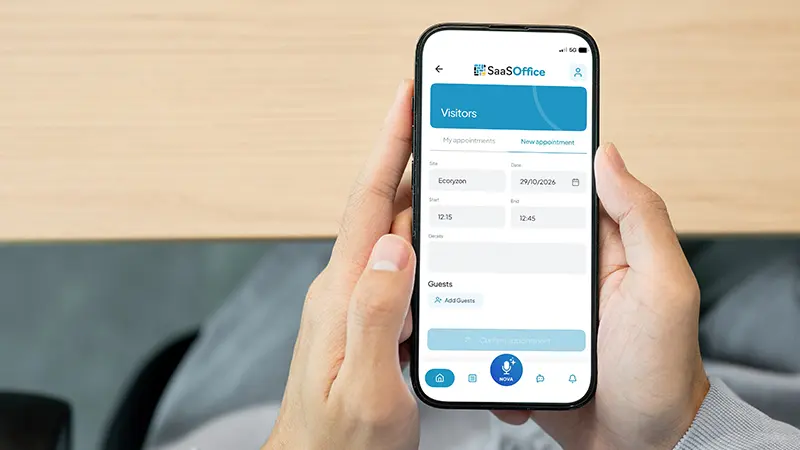
At SaaSOffice, registering a visit no longer means filling in a form. Employees talk to NOVA, the platform's AI assistant, by voice or in writing: "Claire Martin and Paul Henry from Ardent are coming to see me on Thursday at 2 pm, let reception know."
NOVA registers the visit for both visitors. It picks up any existing context, such as a returning visitor whose license plate is already known, and offers to book them a parking space. The employee confirms with a tap.
On the visitor's side, the invitation lands in their usual inbox, Outlook included, prepared by NOVA on the host's behalf. It contains the time slot, directions, the parking space and the check-in QR code. The visitor has no app to install.
At reception: the visitor console
On the front desk computer, the list of today's visits updates as visits are registered. The receptionist has nothing to type.
On arrival, the visitor shows their QR code to the desk webcam. The visit opens, the receptionist confirms with a tap, and NOVA notifies the host in their app. The host replies "On my way" in one action.
On departure, the visit is closed in one tap for the whole group. NOVA sends the host a timestamped summary and invites them to rate the welcome. These ratings feed a satisfaction score and the site dashboards, so reception can be managed on facts.
A rollout that starts from your reception, not from the tool
Every reception has its own volumes, opening hours and security constraints. Setup starts there: visitor profiles, invitation content, how long QR codes stay valid for regular contractors.
NOVA works with the tools you already use: Microsoft 365 or Google Workspace for employees, plain email for visitors. And the same assistant handles incident reporting and services and concierge on the same platform.
To see the full journey, from registration to departure, visit the SaaSOffice Visitor Management page.
In conclusion
Automating visitor check-in means dealing with each friction point at the right moment.
1. Beforehand
A complete invitation, with directions, parking and QR code, heads off questions.
2. On arrival
The QR code replaces typing at the desk.
3. Right after
The notification brings the host down without a phone call.
The receptionist doesn't disappear from the process. She gets time back for what software will never do in her place: welcoming people. To go further on visit security and traceability, read our guide Visitor management in the workplace: towards a smart and secure reception, as well as our article on day-to-day access control.
Want to see NOVA organize a visit using your own tools?
In 30 minutes, we look at your reception, your volumes and your constraints, then NOVA prepares a visit end to end on one of your sites.
FAQ: automating visitor check-in
What is visitor management software?
It is a tool that manages a visitor's journey from invitation to departure: registering the visit, sending practical information, check-in at reception, notifying the host and keeping a timestamped record. With SaaSOffice, a visit is registered by saying one sentence to NOVA.
How does QR code check-in work?
The visitor receives a personal QR code in their invitation. On arrival, they show it at the front desk, the system matches it to their visit and the receptionist confirms. With SaaSOffice, the code is scanned by the front desk webcam and NOVA notifies the host straight away.
What happens if the visitor doesn't have their QR code?
The receptionist finds the visit by the visitor's name or the host's name, then confirms the arrival. In SaaSOffice, the QR code is the fastest route, never a condition for getting in.
How do you handle contractors who visit regularly?
They are registered once, then invited in a single action. With SaaSOffice, their QR code stays valid for the period set by the workplace manager: a week, a month or the length of the contract.
Does visitor management software replace the receptionist?
No. It removes data entry and phone calls so the receptionist can focus on the visitor. In SaaSOffice, the receptionist still confirms every arrival from the front desk console.
Photo credit: Budimir Jevtic, Prostock-studio - stock.adobe.com, SaaSOffice